Check Today
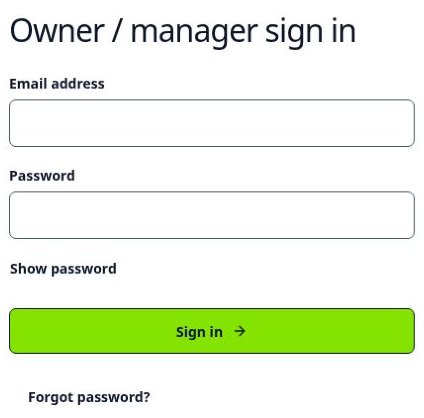
Sign in with your owner email and password. Open Today. Check who is on site. Check the items that need attention.
Owner guide · quick start
Check who is on site. Resolve the items that need attention. Export checked hours for payroll.
SiteTick prepares attendance hours. It does not pay workers. It does not replace your payroll system.
Your normal workflow
Complete the steps in this order.
Sign in with your owner email and password. Open Today. Check who is on site. Check the items that need attention.
Open Review. Select a worker and a day. Read What happened. Read SiteTick recommends.
Confirm only information that you know is correct. Ask the worker if you need more information.
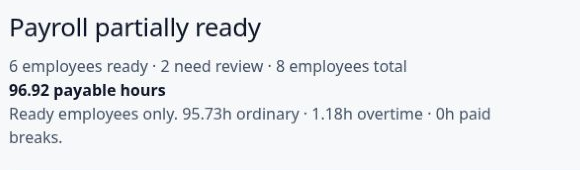
Open Payments. Select the pay period. Check the ready workers. Check the excluded workers. Check the totals.
Select Review export. Then select Prepare CSV and Save CSV.
The CSV is an attendance file. It is not a payment.
Complete the client setup form. In the app, open More, then Sites. Add each site. Open More, then Workers. Add each worker. Send each worker their sign-in details in a private message.
A worker is excluded when a pay-affecting issue is not resolved. Resolve the issue before you include that worker in the CSV. Other ready workers can continue.
Check Export history before you import another CSV for the same pay period.
Get help
Open More, then Sites. Select Create site. Set the entrance. Set the radius. Save the site. Assign workers to the site.
Open More, then Workers. Add the worker name, mobile number and site. Copy the sign-in details. Send the details to the worker in a private message. SiteTick does not send the message.
Open the exact item in Review. Resolve each pay-affecting issue. The worker stays excluded from the pay period until all pay-affecting issues are resolved.
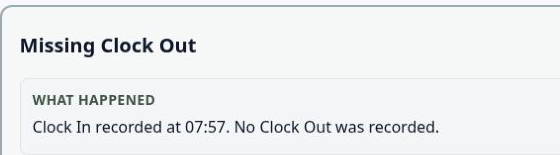
Open the item in Review. Enter a finish time only when you can confirm it. Ask the worker if you cannot confirm the time. Save the decision.
Get support
Ask your SiteTick contact about company setup and payroll rules. For a problem with SiteTick, email support@sitetick.co.uk.